Skip to content
View in the app

A better way to browse. Learn more.

Dragonmount

A full-screen app on your home screen with push notifications, badges and more.

To install this app on iOS and iPadOS
  1. Tap the Share icon in Safari
  2. Scroll the menu and tap Add to Home Screen.
  3. Tap Add in the top-right corner.
To install this app on Android
  1. Tap the 3-dot menu (⋮) in the top-right corner of the browser.
  2. Tap Add to Home screen or Install app.
  3. Confirm by tapping Install.

HOLY TRINITY 2007

Featured Replies

Holy Trinity are 3 members with the most accumulated points in 2007. Together with the Dark One 2007 they form the backbone of this ORG.


Without further ado, Holy Trinity of 2007 are:


MOIRAINE


FAR DAREIS MAI


TWITCH


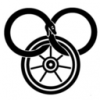
Their place is now and forevermore to be added to the Hall of Fame, plus they get a nifty icon of the Holy Trinity receive 500 points (after recount) and their point allowance is doubled! WOOT!

they're only unholy to those lighthearted heretics, are you a heretic Thar? Don't answer that, tis a trick question, I know you are *prods him down a slope and watches him as he stumbles into a pit of lava* Another good dead done for the day, I am way too nifty for this world  8)

Cannon ball run?


AAH


i'm not trinity no more : (


BUT


Grats you three!


*makes congratulatory love to twitch*

Archived

This topic is now archived and is closed to further replies.

Account

Navigation

Search

Search

Configure browser push notifications

Chrome (Android)
  1. Tap the lock icon next to the address bar.
  2. Tap Permissions → Notifications.
  3. Adjust your preference.
Chrome (Desktop)
  1. Click the padlock icon in the address bar.
  2. Select Site settings.
  3. Find Notifications and adjust your preference.