Skip to content
View in the app

A better way to browse. Learn more.

Dragonmount

A full-screen app on your home screen with push notifications, badges and more.

To install this app on iOS and iPadOS
  1. Tap the Share icon in Safari
  2. Scroll the menu and tap Add to Home Screen.
  3. Tap Add in the top-right corner.
To install this app on Android
  1. Tap the 3-dot menu (⋮) in the top-right corner of the browser.
  2. Tap Add to Home screen or Install app.
  3. Confirm by tapping Install.

I am so ASHAMED!

Featured Replies

I have neglected the Black Tower for mafia games...go ahead punish me all you want!  It still won't compare to the pain in my heart  :'(

Yes, I think you should be punished. How could you, you don't see that happening to anyone else...much :D


*glomps Tigs*


We need the Mafia Anonymous threads again, lol.


now for that punishment, how about a week with NO Mafia, lol

Yeah I've been neglecting my advancement too :(  Good thing there's a game going in in the BT right now :D :D

  • Author


now for that punishment, how about a week with NO Mafia, lol


You can pour sand behind my eyelids or pull my fingernails off with pliers, you can do anything but that!


PLEASE...not that!

  • 3 weeks later...

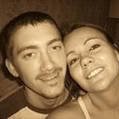
You know, Talya, Hax was just telling me the other day how funny you are.


See?


3318_92624936220_633116220_2986288_.jpg


He said you guys are just a match made in heaven. He just kept on and on. He said he wants three kids, two boys and a girl.


Nyn

Archived

This topic is now archived and is closed to further replies.

Account

Navigation

Search

Search

Configure browser push notifications

Chrome (Android)
  1. Tap the lock icon next to the address bar.
  2. Tap Permissions → Notifications.
  3. Adjust your preference.
Chrome (Desktop)
  1. Click the padlock icon in the address bar.
  2. Select Site settings.
  3. Find Notifications and adjust your preference.