Skip to content
View in the app

A better way to browse. Learn more.

Dragonmount

A full-screen app on your home screen with push notifications, badges and more.

To install this app on iOS and iPadOS
  1. Tap the Share icon in Safari
  2. Scroll the menu and tap Add to Home Screen.
  3. Tap Add in the top-right corner.
To install this app on Android
  1. Tap the 3-dot menu (⋮) in the top-right corner of the browser.
  2. Tap Add to Home screen or Install app.
  3. Confirm by tapping Install.

One Day Maev Will Come....
Featured Replies

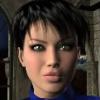
Hey guys, what's up? I have been working on a bio for qute some time, it's for a Tower Trainee named Maev Kiyosa. The bio has just been CC'd and I'm crossing my fingers until it's approved. I've never had a Gaidin character before, and I am looking forward to taking on the challenge.


I just thought I'd let you all know, so you'd be prepared, ya know? hehe. Hopefully I'll be seeing you all in the Yards soon.


Serena Morrigan/Maev Kiyosa

Hey, just saw this. If Ghaul has CC'ed it then I'll post it up on the bio boards shortly.

Account

Navigation

Search

Search

Configure browser push notifications

Chrome (Android)
  1. Tap the lock icon next to the address bar.
  2. Tap Permissions → Notifications.
  3. Adjust your preference.
Chrome (Desktop)
  1. Click the padlock icon in the address bar.
  2. Select Site settings.
  3. Find Notifications and adjust your preference.
