Skip to content
View in the app

A better way to browse. Learn more.

Dragonmount

A full-screen app on your home screen with push notifications, badges and more.

To install this app on iOS and iPadOS
  1. Tap the Share icon in Safari
  2. Scroll the menu and tap Add to Home Screen.
  3. Tap Add in the top-right corner.
To install this app on Android
  1. Tap the 3-dot menu (⋮) in the top-right corner of the browser.
  2. Tap Add to Home screen or Install app.
  3. Confirm by tapping Install.

Identify yourselves!
Featured Replies

*edit* ;)

I am a meat popsicle.


Edit: First person to recognise the quote gets a prize!


that's so easy it's not even worth a mentioning :p

*declares this a SPAM thread to keep the other boards safe from it*


Now, movie quote time!!!


"Royale with Cheese"


(I suck at this game)

"Royale with Cheese"


Pulp Fiction


"Heads."

"Heads."

"...Heads."

  • 3 weeks later...
  • 2 weeks later...

"Gollum! Gollum!"


LOL ;)

Too easy!!! :P it's not even worth answering :p


Can i be a mongoose? i wanna be a mongoose!

  • 3 weeks later...

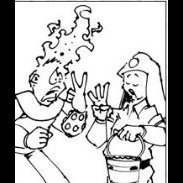
ok I guess I have to step in with this quote..its an easy one of course..no respectable DMer could not know this one.


"But you're not riding a horse...you're clapping together two halves of a coconut!"

(it's Invader Zim.... you must watch!!!! ;))

Account

Navigation

Search

Search

Configure browser push notifications

Chrome (Android)
  1. Tap the lock icon next to the address bar.
  2. Tap Permissions → Notifications.
  3. Adjust your preference.
Chrome (Desktop)
  1. Click the padlock icon in the address bar.
  2. Select Site settings.
  3. Find Notifications and adjust your preference.
