

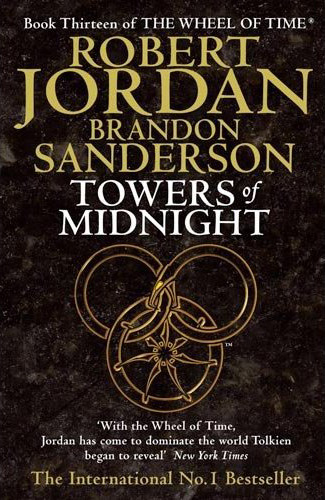
As you might know, Brandon and company have been tantalizing the fandom with The Great Hunt-- a scavenger hunt to decode an exclusive chapter preview from Towers of Midnight, the thirteenth novel in the Wheel of Time series.
The chapter title is The Seven-Striped Lass, and is a chapter featuring Mat Cauthon.
The last clue was placed at a Venice, Italy photo booth. This was discovered entirely due to the collaboration of WoT fans world wide. Unfortunately when our intrepid Italian WoT friend Federico went to get the clue, it had been lost. But he did get a great picture! Brandon took pity and gave us credit for finding it anyway! The Chapter Preview is now completely unlocked at Brandon's site. It's been an amazing experience for all involved, and we all want to thank Brandon, his brother Jordan, Peter Ahlstrom, and TOR Books for bringing us The Great Hunt!
Read the Chapter Preview here at Dragonmount!
See what we've learned so far about The Great Hunt clues.
Discuss The Great Hunt at Dragonmount's Towers of Midnight Spoilers Board
Check out Theoryland's area for The Great Hunt
<strong>Pre-Order the book!</strong>
<ul class="bullet"><li><a href="http://www.amazon.com/gp/product/0765325942?ie=UTF8&tag=dragonmount&linkCode=as2&camp=1789&creative=9325&creativeASIN=0765325942">Amazon.com</a></a> - This link helps support <em>Dragonmount</em></li><li><a href="http://www.amazon.co.uk/dp/184149867X?tag=dragonmount-21&camp=1406&creative=6394&linkCode=as1&creativeASIN=184149867X&adid=0NW45FP5BV0BQ4VMJHF3&">Amazon.co.uk</a></a> - This link helps support <em>Dragonmount</em></li><li><a href="http://www.amazon.ca/gp/product/0765325942?ie=UTF8&tag=dragonmount-20&linkCode=as2&camp=15121&creative=330641&creativeASIN=0765325942">Amazon.ca</a></a> - This link helps support <em>Dragonmount</em></li><li><a href="http://www.indiebound.org/book/0765325942">Indiebound.org</a> - Find local independent sellers</li><li><a href="http://search.barnesandnoble.com/booksearch/isbninquiry.asp?EAN=0765325942&afsrc=1&lkid=J25297035&pubid=K170413&byo=1">Barnes & Noble.com</a></li><li><a href="http://www.borders.com/online/store/TitleDetail?sku=0765325942">Borders.com</a></li><li><a href="http://store.tor.com/book/9780765325945">Directly from Tor.com</a></li></ul>
<div align="center"><iframe src="http://rcm.amazon.com/e/cm?t=dragonmount&o=1&p=8&l=as1&asins=0765325942&fc1=000000&IS2=1<1=_blank&m=amazon&lc1=0000FF&bc1=000000&bg1=FFFFFF&f=ifr&npa=1" style="width:120px;height:240px;" scrolling="no" marginwidth="0" marginheight="0" frameborder="0"></iframe> <iframe src="http://rcm-uk.amazon.co.uk/e/cm?t=dragonmount-21&o=2&p=8&l=as1&asins=184149867X&fc1=000000&IS2=1<1=_blank&m=amazon&lc1=0000FF&bc1=000000&bg1=FFFFFF&f=ifr" style="width:120px;height:240px;" scrolling="no" marginwidth="0" marginheight="0" frameborder="0"></iframe> <iframe src="http://rcm-ca.amazon.ca/e/cm?t=dragonmount-20&o=15&p=8&l=as1&asins=0765325942&fc1=000000&IS2=1<1=_blank&m=amazon&lc1=0000FF&bc1=000000&bg1=FFFFFF&f=ifr" style="width:120px;height:240px;" scrolling="no" marginwidth="0" marginheight="0" frameborder="0"></iframe></div>
Recommended Comments
Join the conversation
You can post now and register later. If you have an account, sign in now to post with your account.
Note: Your post will require moderator approval before it will be visible.