

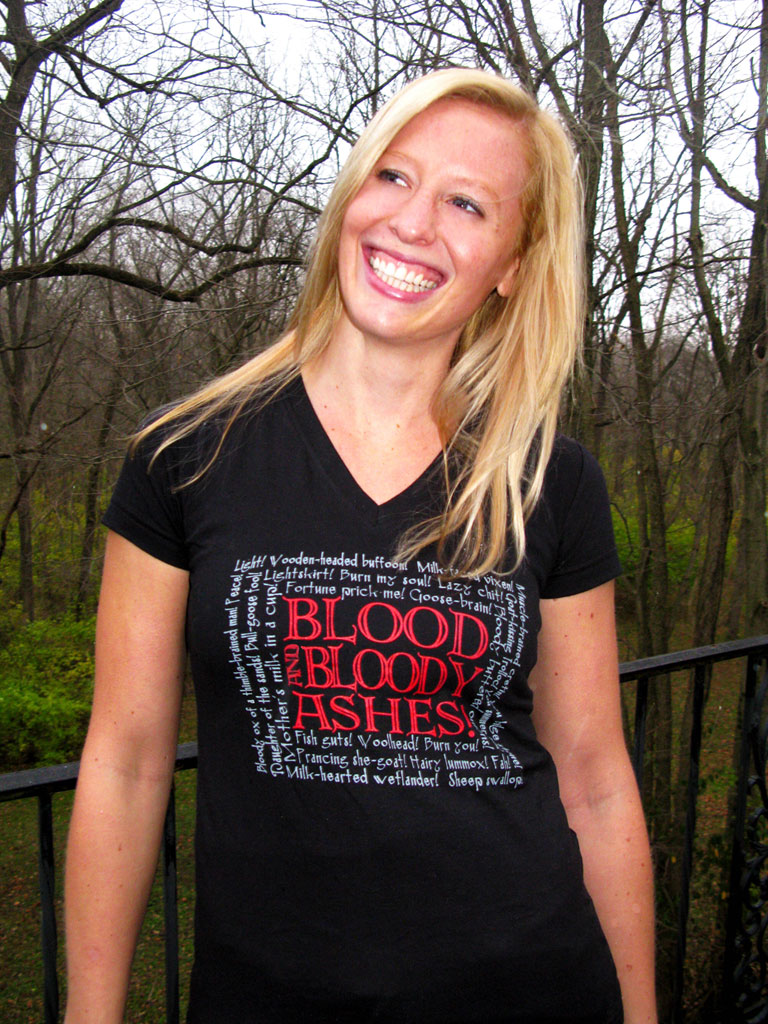
Pardon my language in the title, but once you've set your eyes on this shirt, you'll be prone to fits of cursing too! Let's see what the owners of Ta'veren Tees have to say about their new shirt:
ANOTHER BLOODY TEE SHIRT AND FLAMING COUPON FROM TA’VEREN TEES
Light! The designers at Ta’veren Tees have all been using pretty foul language lately – or, at least it’s foul if you know The Wheel of Time®. But they haven’t cracked under pressure; they’ve just been inspired by their newest shirt design, “Blood and Bloody Ashes!”
This shirt is available for pre-order now in both mens’ and ladies’ styles at www.taverentees.com in the Black Tower and White Tower sections, respectively. Pre-ordering a shirt will ensure that your order is shipped on December 6, as soon as the shirts are in stock. All other tee shirts purchased at the same time will be held and shipped along with “Blood and Bloody Ashes!”.
In honor of our newest (and rudest) tee, now through November 22 you can use coupon code FISHGUTS at checkout and receive 10% off your entire order.
“Blood and Bloody Ashes!” features WoT’s most prominent (and everyone’s favorite) curse, surrounded by other curses, like “fish guts” and “mother’s milk in a cup,” as well as rude names such as “goose-brain” and “hairy lummox.”
The mens’ style is a 50% cotton, 50% polyester blend black tee shirt and the ladies’ is a v-neck, longer length, fitted tee made from 100% cotton.
Well, what are you flaming goose-brains waiting for? Go buy a shirt!
Recommended Comments
Join the conversation
You can post now and register later. If you have an account, sign in now to post with your account.
Note: Your post will require moderator approval before it will be visible.