

Skip to content
View in the app

A better way to browse. Learn more.

Dragonmount

A full-screen app on your home screen with push notifications, badges and more.

To install this app on iOS and iPadOS
  1. Tap the Share icon in Safari
  2. Scroll the menu and tap Add to Home Screen.
  3. Tap Add in the top-right corner.
To install this app on Android
  1. Tap the 3-dot menu (⋮) in the top-right corner of the browser.
  2. Tap Add to Home screen or Install app.
  3. Confirm by tapping Install.

New Products From Ta'veren Tees


Our friends at Ta'veren Tees have some great new products to share with the Wheel of Time community!  And there's a few days left to catch their JordanCon 15% off coupon!


OH, LIGHT! NEW COINS, FLASKS, AND POSTERS!


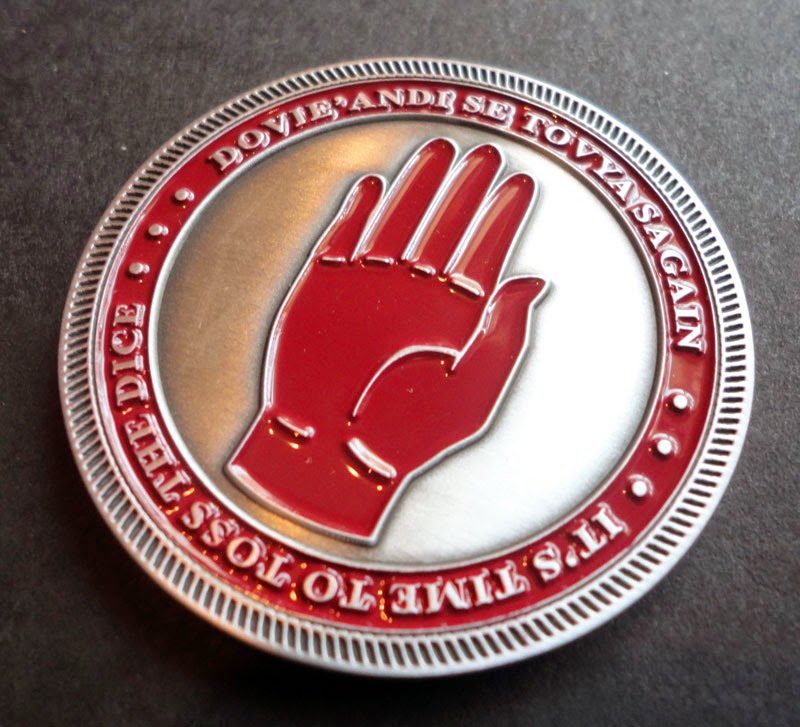
We are excited to announce the availability of three highly anticipated new WoT products. The "Mat Cauthon Challenge Coin," "WoT Curses Flask," and "Rand al'Thor, the Dragon Reborn poster" are now available for purchase at www.TaverenTees.com/collectibles! The flask and poster are currently available in limited quantity, so make sure to get yours now!


Mat Challenge Coin: 

http://www.taverentees.com/matcoin


MatCoin3MatCoin4


WoT Curses Flask:

http://www.taverentees.com/cursesflask


Flask4

Rand al'Thor Poster by Ariel Burgess:

(The JordanCon People’s Choice Award winner for best WoT Art!)

 http://www.taverentees.com/randthedragon


Rand AlThor The Dragon poster


And don't forget: Coupon code "JORDANCON" is still good for 15% off through May 2!


User Feedback

Recommended Comments

There are no comments to display.

Join the conversation

You can post now and register later. If you have an account, sign in now to post with your account.
Note: Your post will require moderator approval before it will be visible.

Guest
Unfortunately, your content contains terms that we do not allow. Please edit your content to remove the highlighted words below.
Add a comment...

Account

Navigation

Search

Search

Configure browser push notifications

Chrome (Android)
  1. Tap the lock icon next to the address bar.
  2. Tap Permissions → Notifications.
  3. Adjust your preference.
Chrome (Desktop)
  1. Click the padlock icon in the address bar.
  2. Select Site settings.
  3. Find Notifications and adjust your preference.