Skip to content
View in the app

A better way to browse. Learn more.

Dragonmount

A full-screen app on your home screen with push notifications, badges and more.

To install this app on iOS and iPadOS
  1. Tap the Share icon in Safari
  2. Scroll the menu and tap Add to Home Screen.
  3. Tap Add in the top-right corner.
To install this app on Android
  1. Tap the 3-dot menu (⋮) in the top-right corner of the browser.
  2. Tap Add to Home screen or Install app.
  3. Confirm by tapping Install.

Push ups

Featured Replies

Someone ranked Asha'man or higher can order you to do them as "punishment" for something, and they are typically done in the Village. That said, I think it's years ago it happened.

Well if you really want to - Oscar, I order you to do as many push-ups as you liked, either based on muppets or some ther thing of your choosing.


Post here when you're done and maybe I'll give you points if they're good enough.


Technically I should wait till you're a soldier to assist push-ups iirc but if you want to do them that's ok

Oh wait that's right.


You normally get awarded points for completing your push-ups. And they're not supposed to be given to civvies. Then again, stuff changed over the years, so we might as well drop that second one until we get the promotions going again.

  • Author

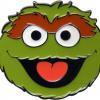
5.  My daughter's favorite Muppet, (we even have a puppet of her.)


Red_zps3hqouulq.jpg

Edited by thehumantrashcan

Archived

This topic is now archived and is closed to further replies.

Account

Navigation

Search

Search

Configure browser push notifications

Chrome (Android)
  1. Tap the lock icon next to the address bar.
  2. Tap Permissions → Notifications.
  3. Adjust your preference.
Chrome (Desktop)
  1. Click the padlock icon in the address bar.
  2. Select Site settings.
  3. Find Notifications and adjust your preference.