Skip to content
View in the app

A better way to browse. Learn more.

Dragonmount

A full-screen app on your home screen with push notifications, badges and more.

To install this app on iOS and iPadOS
  1. Tap the Share icon in Safari
  2. Scroll the menu and tap Add to Home Screen.
  3. Tap Add in the top-right corner.
To install this app on Android
  1. Tap the 3-dot menu (⋮) in the top-right corner of the browser.
  2. Tap Add to Home screen or Install app.
  3. Confirm by tapping Install.

Reverse Caption Contest - Warder Gameshow Week

Featured Replies

  • Replies 120
  • Views 9.4k
  • Created
  • Last Reply

That is the clear winner this round, no matter what anyone else comes up with!

OMG. I TOTALLY forgot I participated. *lol* AND I WON ROUND ONE! Madness...


Ok. I shall try for more of these then. Thanks for the love everyone.

Ok. I shall have first go then...


Do I get points if I MAKE my own stuff? *lol* Anyway... I had some time on my hands and... yeah...


practicing.jpg

what the algai think its like


Garen-and-Wukong-fight.gif.gif


what they look like


Boy-holding-a-sword-MG-0992.jpg


2ah6zus.jpg

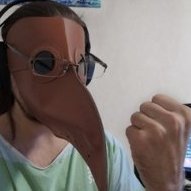
Compulsory Warder training. You can't call yourself a true warder if your Aes Sedai hasn't done this to you.

Archived

This topic is now archived and is closed to further replies.

Account

Navigation

Search

Search

Configure browser push notifications

Chrome (Android)
  1. Tap the lock icon next to the address bar.
  2. Tap Permissions → Notifications.
  3. Adjust your preference.
Chrome (Desktop)
  1. Click the padlock icon in the address bar.
  2. Select Site settings.
  3. Find Notifications and adjust your preference.