Skip to content
View in the app

A better way to browse. Learn more.

Dragonmount

A full-screen app on your home screen with push notifications, badges and more.

To install this app on iOS and iPadOS
  1. Tap the Share icon in Safari
  2. Scroll the menu and tap Add to Home Screen.
  3. Tap Add in the top-right corner.
To install this app on Android
  1. Tap the 3-dot menu (⋮) in the top-right corner of the browser.
  2. Tap Add to Home screen or Install app.
  3. Confirm by tapping Install.

Festival of Fools: O-FOOL-shul Thread for the Official Fools

Featured Replies

  • Author

*with Keepers permission, tries to remove black eyes, but Mother's ability in the One Power is strong, and they resist the attempt.*


Here, try this instead ...


image_zps0faff393.jpg

  • Replies 58
  • Views 2.6k
  • Created
  • Last Reply

*claps in delight* Yay! Makeovers!!!


How do I look? Did the Keeper do a good job?


1116033_f4dc_625x1000.jpg

Oooh, I adore the 2nd and 3rd dresses!  *grabs them up and hugs them close*


Heart, until the festival is over, you don't need to be able to channel to be an Ajah Head. I issued a proclamation about it in my dreams.


Okay, ASG, since today is the last day of the festival (I think), I want you to dance for us!


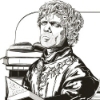
*walks in followed by a few Algai carrying his seat*


20120611gameofthrones-1.png


That will be all.  Carry on.

I'll be keeping this after I slay the usurper. It's official.


I had a feeling you'd like it :P
  • Elgee locked this topic

Archived

This topic is now archived and is closed to further replies.

Account

Navigation

Search

Search

Configure browser push notifications

Chrome (Android)
  1. Tap the lock icon next to the address bar.
  2. Tap Permissions → Notifications.
  3. Adjust your preference.
Chrome (Desktop)
  1. Click the padlock icon in the address bar.
  2. Select Site settings.
  3. Find Notifications and adjust your preference.