


Skip to content
View in the app

A better way to browse. Learn more.

Dragonmount

A full-screen app on your home screen with push notifications, badges and more.

To install this app on iOS and iPadOS
  1. Tap the Share icon in Safari
  2. Scroll the menu and tap Add to Home Screen.
  3. Tap Add in the top-right corner.
To install this app on Android
  1. Tap the 3-dot menu (⋮) in the top-right corner of the browser.
  2. Tap Add to Home screen or Install app.
  3. Confirm by tapping Install.

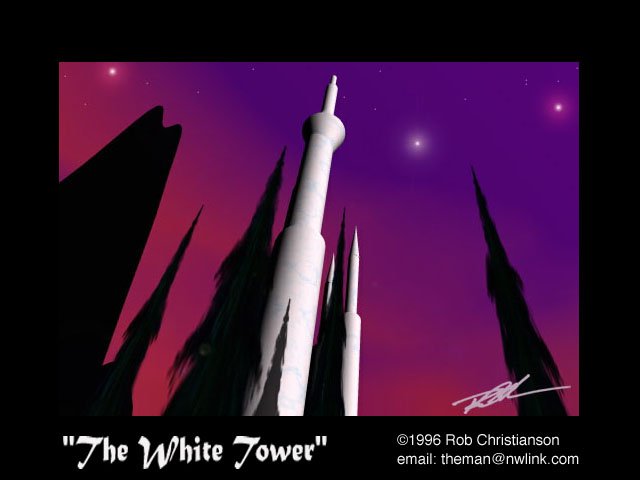
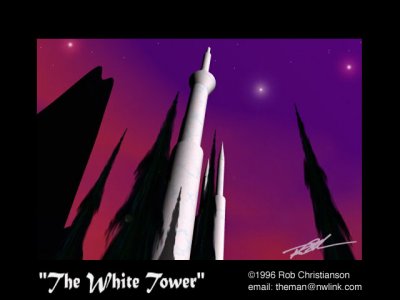
WhiteTower

Admittedly, this was one of my first experiments with KPT Bryce 1.0 and while I was reading the WOT at the time, I didn't originally intend this to be THE White Tower we all know. But after some post-rendering work in Photoshop (adding windows and flags) I thought it could pass... though the bridges and surrounding towers are missing.

Copyright

© Rob Christianson
  • From the album:

    The Art of Rob Christianson

    · 29 images

    Account

    Navigation

    Search

    Search

    Configure browser push notifications

    Chrome (Android)
    1. Tap the lock icon next to the address bar.
    2. Tap Permissions → Notifications.
    3. Adjust your preference.
    Chrome (Desktop)
    1. Click the padlock icon in the address bar.
    2. Select Site settings.
    3. Find Notifications and adjust your preference.