
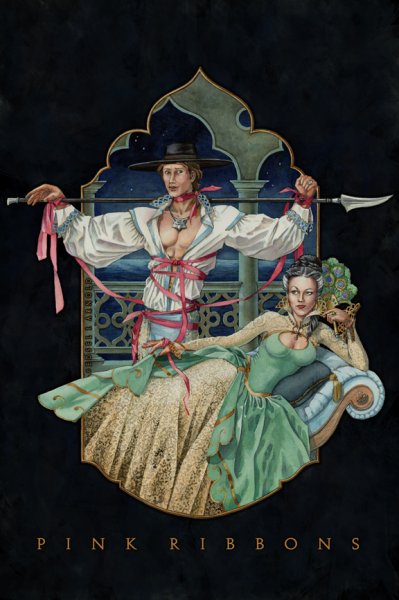
PinkRibbons - Mat and Tylin

By Edsel
- 7928 views
- View Edsel's images
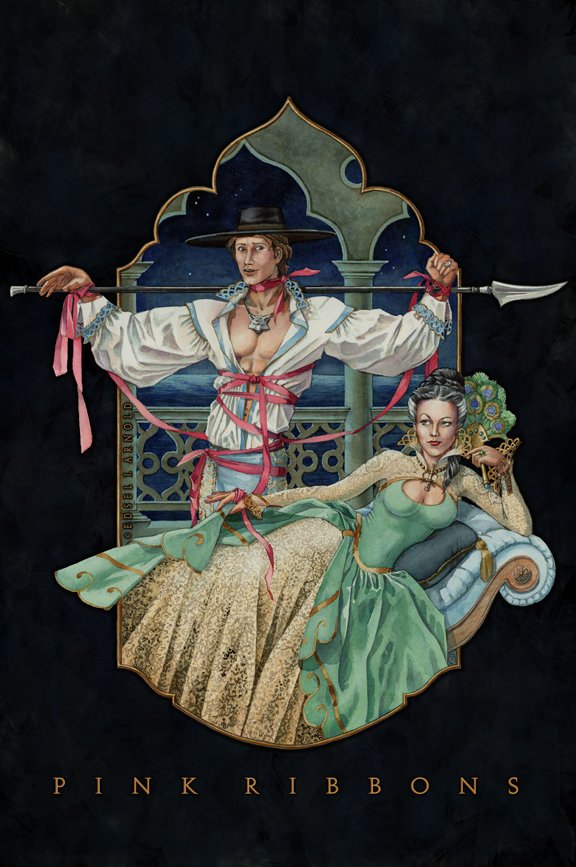
This is artwork that I created a few years ago and took to the Atlanta book signing during Brandon's first tour. I've tweaked/modified the painting since then in Photoshop. I should have given the original to Brandon or Harriet at the time, but I think I knew I intended to tweak it a little. I know Mat looks somewhat "romance novel", which is not typical for me (or Mat), but I really feel that concept fits the scene, since I think Tylin enjoys embarrassing Mat that way. I wanted Tylin's petticoats to have a Venetian look instead of a "pirate wench" feel. Look for this and other artwork soon on my new deviant art site: EdselArnold.deviantart.com
Copyright
© Edsel J. Arnold - 2009
Recommended Comments
Join the conversation
You can post now and register later. If you have an account, sign in now to post with your account.
Note: Your post will require moderator approval before it will be visible.