
Veranza
-
Joined
-
Last visited
About Me
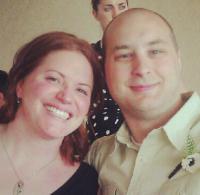
I was born and raised in Philadelphia baby! I will be a Philly girl until the day I die. I am a geek. I work in a video game store, I play a lot of video games and have a computer, laptop, DSi, XB360 with Kinect, Wii, PS2 and PS3. GEEK! I rather be hated for who I am then loved for who I am not! I am a model; if you look at the pictures, only professionals can make me look that good. If you know me, you will know that I do it to have fun and I probably have the least amount of self confidence in the world...but I am working on that. I have that 1,000,000,000 watt smile and sometimes it drives me insane because that is all that people seem to see, not the 9 million other qualities that I possess. My favorite features are my eyes and my smile. I am happy talking as much as humanly possible. I get along better with guys than I do girls. I can be such a girl at times. I hate spiders and olives. YUCK! I figured out that the only person that can make me happy is me. I have found that one person in this world that makes me so happy and so confident and makes me smile. He is my strength and the reason I smile. He reminds me that I can be goofy and silly and beautiful and strong, all at the same time. He is my better half, the sexy better half.