
Skip to content
View in the app

A better way to browse. Learn more.

Dragonmount

A full-screen app on your home screen with push notifications, badges and more.

To install this app on iOS and iPadOS
  1. Tap the Share icon in Safari
  2. Scroll the menu and tap Add to Home Screen.
  3. Tap Add in the top-right corner.
To install this app on Android
  1. Tap the 3-dot menu (⋮) in the top-right corner of the browser.
  2. Tap Add to Home screen or Install app.
  3. Confirm by tapping Install.

Ferd al'Thor

Member
  • Joined

  • Last visited

About Me

Hey!


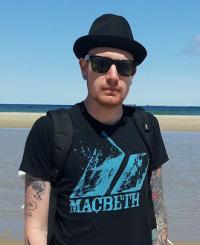
I am Fredrik from Gothenburg, and I love to write, play music, and read. Tons of reading.


My debut novel will be published sometime during 2013, and I'm pretty stoked about that.


My thanks to Robert Jordan, without whom, I myself would never have started writing. He's the man, along with Raymond E Feist, who got me into fantasy in the first place.

Sure, Star Wars got me hooked first, but RJ and REF really got me stuck.


And I am really happy they did.


Stop by and say hello if you want!

Best,
Fredrik

Account

Navigation

Search

Search

Configure browser push notifications

Chrome (Android)
  1. Tap the lock icon next to the address bar.
  2. Tap Permissions → Notifications.
  3. Adjust your preference.
Chrome (Desktop)
  1. Click the padlock icon in the address bar.
  2. Select Site settings.
  3. Find Notifications and adjust your preference.